OST2 - a free OST to PST converter software for Microsoft Outlook
Back up Microsoft Exchange .ost files to avoid data loss if the Server is not available or corrupt or user's profile is damaged
 FREE DOWNLOAD
No Commitment. Privacy Policy and
System Requirements
 PURCHASE
The software you can trust. Licensing (EULA)
OST2 Customer Reviews

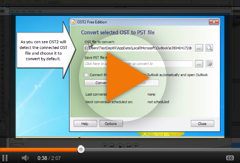
Free OST to PST converter. Open your data from Exchange (.OST file) in Microsoft Outlook.
If you are looking for a freeware that will convert Outlook OST file to PST format quickly and easily, OST2 is what you need. After a couple of clicks, you will be able to open the converted PST file in Outlook.
Our OST converter is useful if, for some reason, Microsoft Exchange Server data needs to be moved and opened in Microsoft Outlook. This free OST to PST tool is able to do it simply and easily. Convert files in a couple of clicks - select an OST file and choose the location where you want to save the PST file. OST2 will automatically connect the converted files to Outlook*, so you won’t need to import .pst files manually. With the Free version of OST2 you will be able to convert up to 5 items in each folder of orphaned OST or PST file.
Using OST2, you can import and export OST and PST files, data from and to Microsoft Outlook, Exchange, Office 365, Outlook.com, Google and G Suite. You will be able to choose a specific OST or PST file or you can scan your computer and OST2 will find all OST and PST files.
Convert orphaned OST files to PST format using OST2 Enterprise Edition. It means that you can convert OST files that are not connected to Outlook.
OST to PST conversion can be a solution of problems caused by Exchange Server. In case of your Exchange Server downtime, accidental user account deletion, the server crashes and your data is not accessible, you may want to convert OST to PST file format. All your emails, calendars, contacts, tasks etc. can be opened in Outlook after the OST2PST conversion. To prevent Offline Storage .ost file’s data loss, it is useful to back up data in the Personal Storage file format. Back up Exchange data using this simple and cheapest OST to PST converter.
*Get more with OST2 Enterprise Edition:
- Convert OST files that are not connected to Microsoft Outlook (orphaned OST files)
- Scan for .OST files connected to Microsoft Outlook.
- Import and Export all OST and PST files.
- Network location support.
- Connect the converted PST files to Microsoft Outlook.
- Advanced conversion settings, i.e. scheduling, several files conversion etc.
- Custom conversion rules.
- Automatic software deployment and licensing.
A custom OST to PST conversion solution for your company.
- An opportunity to open and review OST files before conversion.
- OST to PST conversion without Outlook installed.
- Custom integration into your company’s environment.
- OST backup solution that meets your corporate needs.
Main features of OST2

Free OST to PST converter. OST2PST software tool.
Convert OST to PST (Exchange Offline Storage files to Personal Storage) files. Use OST2 as ost to pst converter to transfer data from Exchange to Outlook, make your Exchange account emails, calendar, contacts and other items accessible through Outlook. With Free OST2 you will able to convert 5 items in each folder of orphaned OST file. In order to get the full advantage of the software, please check OST2 Enterprise Edition.

Back up Exchange data with automatic OST converter.
Use this OST converter tool to back up data as a .PST file in case something happens to Exchange Server. For fully customizable Microsoft Outlook and Exchange backup, see our Safe PST Backup Enterprise Edition software.

Recover Exchange mailbox data with OST PST Converter.
In case Exchange Server crashes, you will be able to recover Exchange mailbox folders by opening the converted PST file in Outlook. Our OST PST converter files from corrupted or unreadable folders and allows keeping your precious data accessible to you.
New! Mode "Recovery Mode"
Use new mode of conversion called “Recovery Mode” which is dedicated to get as much data as possible from source file. This mode is dedicated for both orphaned and connected OST files. Using this mode OST2 Un-hides items that are hidden in each folder of original file when saving them to destination and more.
Restore OST files by converting them to PST
By converting OST files to PST format, the Exchange mailbox can be restored even after accidental Exchange user mailbox deletion. Convert OST file and open Exchange mailbox emails, contacts, calendars and other folders in Outlook easily.
Transfer and migrate OST or PST files
Wondering how to Import OST File in Outlook? With OST2 import and export OST and PST files, data from and to Microsoft Outlook, Exchange, Office 365, Outlook.com, Gmail and G Suite. The Free OST2 version allows you to transfer up to 5 items from each folder.
Convert OST to PST and connect files to Outlook after OST conversion*.
After OST file is converted to the PST file format, it can be automatically connected to your Outlook. So you won’t need to import PST to Outlook manually. OST2 is able to import a single file or a batch of files at once. Also you can open PST files with free Outlook viewer.
Easy-to-use OST file conversion tool with very simple interface.
Select the OST file you want to convert and choose a location where you want the converted PST file to be stored. The conversion can be done in a couple of clicks.

Scan for connected OST files
OST2 can automatically detect OST files on your computer, so there is no need to browse for a file manually. A scan of OST can be done by clicking the icon on the program’s interface.
Convert OST on your corporate network*.
OST2 supports network location, so you can choose any OST file from your network and select any network location, where the converted files will be stored.

Automatic detection of OST and PST files
OST2 can detect and locate OST and PST files on your computer, so there is no need to browse for OST and PST files manually. OST2 will find not only connected OST files, but also orphaned OST files, as well as PST files.
Convert OST files of any Exchange version to PST files of any Outlook version.
It does not matter which version of Microsoft Exchange and Microsoft Outlook you or your company are using. OST2 converts ost files created with any version of Exchange and Outlook from 2002.

Open archive PST files without Microsoft Outlook
Open and View multiple PST files in a few clicks without Microsoft Outlook. Search, print out, extract or export information from orphaned PST data files.
OST file Viewer freeware to open OST files without Outlook
Free OST file Viewer helps you to open, view and search in OST files without Microsoft Outlook. View content of multiple healthy, damaged or corrupted PST files. Search and copy ir export any data from OST files.

Move, Import or Migrate PST/OST to Office 365
Use Free PST, OST data files mover software. Migrate emails, contacts and calendar to Office 365. Move PST file to new: Outlook, Exchange or Outlook 365.

About 4Team Corporation
the company behind OST2
We are a Microsoft Gold Certified Partner and independent software developer for MS Outlook. Since 1999 we have provided solutions to our corporate customers and individual users worldwide. We are very proud to offer award-winning support and be highly recommended by our satisfied customers.
Our satisfied customers
Customers all over the world are successfully using 4Team Corporation services for personal and business needs